
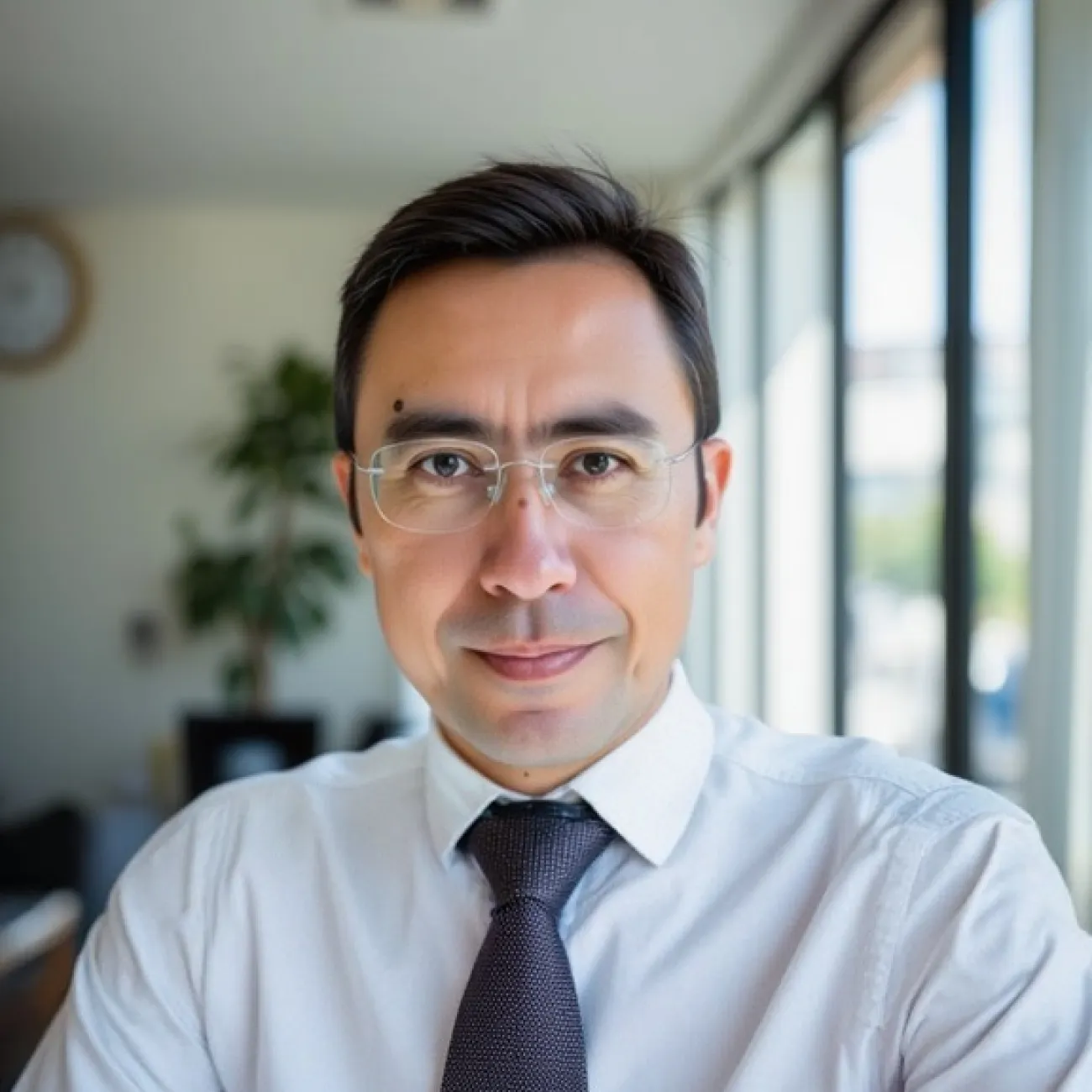
About
Andres Vallejo Pulido is a chemist and computational biologist whose research integrates molecular biology, bioinformatics and systems immunology. He develops and applies single-cell, spatial and multimodal approaches to investigate how immune cells and tissue microenvironments shape infection, inflammation and cancer. His work spans tuberculosis, atopic dermatitis, reproductive immunology, and haematological and solid tumours, with an emphasis on robust analytical methods and biologically grounded interpretation. At the University of Southampton, he works across experimental and computational disciplines, supports collaborative research programmes and supervises researchers applying advanced omics technologies. His broader aim is to translate complex molecular and cellular data into testable biological insights that can inform biomarker discovery, therapeutic research and the design of future studies.
You can update this in Pure (opens in a new tab). Select ‘Edit profile’. Under the heading and then ‘Curriculum and research description’, select ‘Add profile information’. In the dropdown menu, select - ‘About’.
Write about yourself in the third person. Aim for 100 to 150 words covering the main points about who you are and what you currently do. Clear, simple language is best. You can include specialist or technical terms.
You’ll be able to add details about your research, publications, career and academic history to other sections of your staff profile.
Research
Research interests
- Single-cell and spatial transcriptomicsSystems immunologyComputational biology and bioinformaticsMultimodal omicsTranslational immunology
Current research
His current research programme has three connected themes. First, he develops and evaluates computational workflows for single-cell, spatial and multimodal data, with particular attention to annotation, integration, reproducibility and biological interpretation. Second, he applies these approaches to systems-immunology questions in infection, inflammation and cancer, examining how immune-cell states and tissue microenvironments are associated with disease biology. Third, he works with experimental, clinical and computational collaborators to connect molecular measurements with testable hypotheses and translational research questions. Current projects include studies of natural killer and invariant natural killer T-cell biology in blood cancer, multimodal analysis of the tumour immune microenvironment, and single-cell and proteomic investigation of implantation disorders. Across these projects, he distinguishes exploratory cellular-state discovery from evidence suitable for biomarker or therapeutic follow-up.
You can update the information for this section in Pure (opens in a new tab).
Research groups
Any research groups you belong to will automatically appear on your profile. Speak to your line manager if these are incorrect. Please do not raise a ticket in Ask HR.
Research interests
Add up to 5 research interests. The first 3 will appear in your staff profile next to your name. The full list will appear on your research page. Keep these brief and focus on the keywords people may use when searching for your work. Use a different line for each one.
In Pure (opens in a new tab), select ‘Edit profile’. Under the heading 'Curriculum and research description', select 'Add profile information'. In the dropdown menu, select 'Research interests: use separate lines'.
Current research
Update this in Pure (opens in a new tab). Select ‘Edit profile’ and then ‘Curriculum and research description - Current research’.
Describe your current research in 100 to 200 words. Write in the third person. Include broad key terms to help people discover your work, for example, “sustainability” or “fashion textiles”.
Research projects
Research Council funded projects will automatically appear here. The active project name is taken from the finance system.
Publications
Public outputs that list you as an author will appear here, once they’re validated by the ePrints Team. If you’re missing any outputs that you’ve added to Pure, they may be waiting for validation.
Supervision
Current PhD Students
Contact your Faculty Operating Service team to update PhD students you supervise and any you’ve previously supervised. Making this information available will help potential PhD applicants to find you.
Teaching
Andres supervises doctoral researchers across computational and experimental immunology. His teaching interests include bioinformatics, computational biology, single-cell and spatial transcriptomics, multimodal data integration, systems immunology, reproducible analysis and the interpretation of high-dimensional biomedical data. He is particularly interested in training researchers to connect experimental design with appropriate analytical methods, maintain clear data provenance and distinguish exploratory cellular-level findings from evidence that supports biological or translational inference.
You can update your teaching description in Pure (opens in a new tab). Select ‘Edit profile’. Under the heading and then ‘Curriculum and research description’ , select ‘Add profile information’. In the dropdown menu, select – ‘Teaching Interests’. Describe your teaching interests and your current responsibilities. Aim for 200 words maximum.
Courses and modules
Contact the Curriculum and Quality Assurance (CQA) team for your faculty to update this section.
External roles and responsibilities
These are the public-facing activities you’d like people to know about.
This section will only display on your public profile if you’ve added content.
You can update your external roles and responsibilities in Pure (opens in a new tab). Select ‘+ Add content’ and then ‘Activity’, your ‘Personal’ tab and then ‘Activities’. Choose which activities you want to show on your public profile.
You can hide activities from your public profile. Set the visibility as 'Backend' to only show this information within Pure, or 'Confidential' to make it visible only to you.
Biography
Andres Vallejo Pulido trained as a chemist and developed interdisciplinary expertise in molecular biology, bioinformatics, single-cell genomics and systems immunology. He is an Associate Professor in the Innate Immunity research group at the University of Southampton, where his work connects experimental and computational approaches to investigate immune responses in human disease.
His research has contributed to programmes in tuberculosis, inflammatory skin disease, COVID-19, reproductive immunology and cancer. Across these areas, he has collaborated with clinicians, experimental scientists and computational researchers to analyse transcriptomic, proteomic and spatial data and to develop reproducible analytical approaches.
He supervises doctoral researchers working across computational and experimental immunology. His wider academic interests include building cross-disciplinary collaborations, improving the reproducibility and interpretability of high-dimensional biomedical data, and supporting researchers in the responsible use of emerging omics technologies.
You can update your biography section in Pure (opens in a new tab). Select your ‘Personal’ tab then ‘Edit profile’. Under the heading, and ‘Curriculum and research description’, select ‘Add profile information’. In the dropdown menu, select - ‘Biography’. Aim for no more than 400 words.
This section will only appear if you enter the information into Pure (opens in a new tab).
Prizes
You can update this section in Pure (opens in a new tab). Select ‘+Add content’ and then ‘Prize’. using the ‘Prizes’ section.
You can choose to hide prizes from your public profile. Set the visibility as ‘Backend’ to only show this information within Pure, or ‘Confidential’ to make it visible only to you.